Learning
Grammar trainers
How conjugation and grammar drills work, what the Hint shows, and how they affect your reviews.
Where to find them #
Open Practice, then Grammar. The trainers sit under Verbs:
- Conjugation trainer (Japanese and Korean): one tile per verb or adjective form. Tap a tile to drill that form, or select several to mix them into one session. Japanese also has a Combined forms mode, which drills stacked forms built from the tiles you pick, and a Mix tile for the free drill.
- Focused trainers: one rule family each. Japanese has Irregular verbs (する, くる, いく, ある and いい) and Sound changes (godan て and た forms). Korean has Irregular verbs (ㅂ, ㅎ, ㄷ, 르 and ㅅ stems) and Dropped sounds.
Under Particles & sentences you will find the particle drill (Japanese and Korean) and, for Korean, Sentence meaning, where you read a sentence and pick what it means even when the subject is left out.
Forms unlock with the modules that teach them. A locked conjugation tile shows the module it opens at. If you choose it anyway, the trainer asks whether you want to look ahead before it starts.
How a session works #
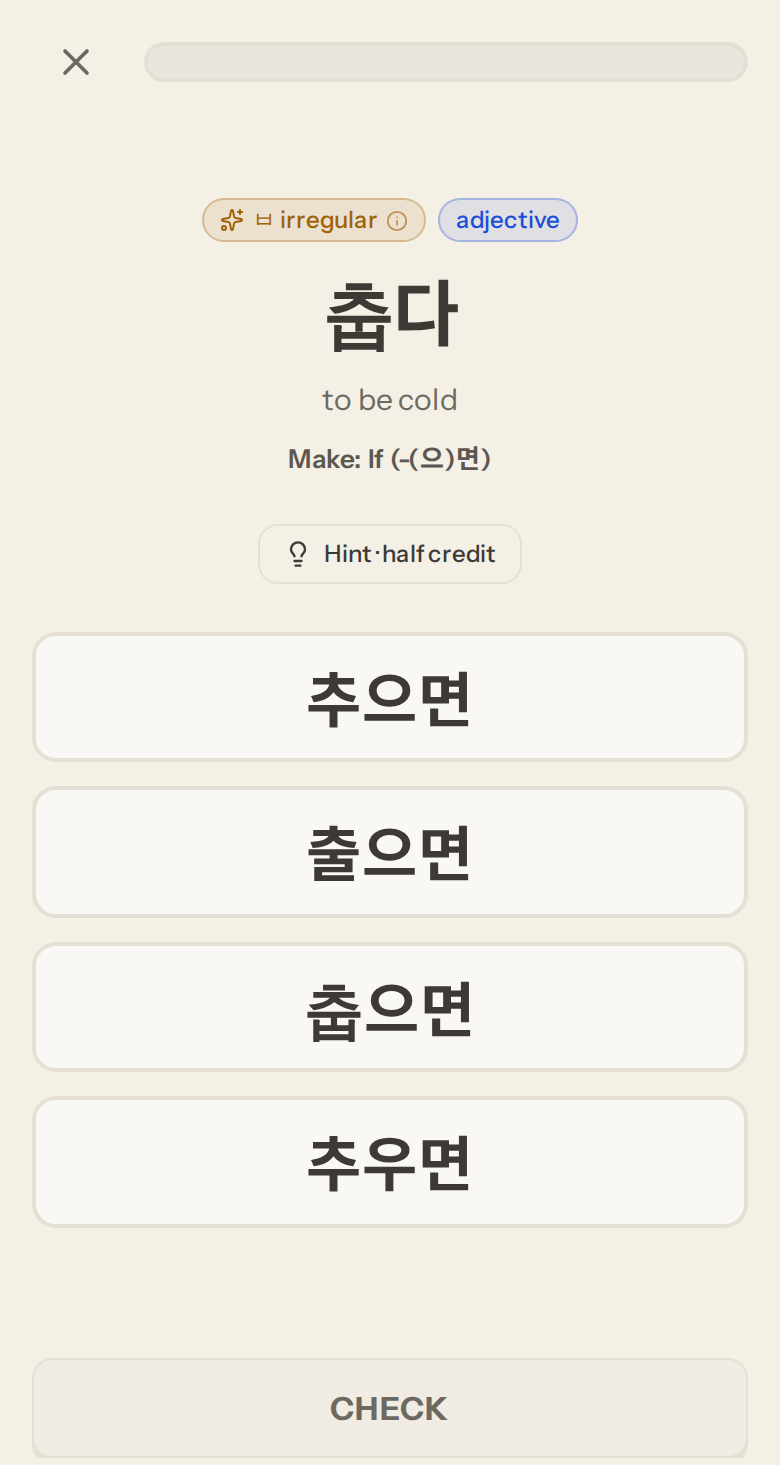
A session plays like a lesson. A ✕ and a progress bar sit at the top, and the questions come one at a time. Each question shows a word, its meaning and the form to make, such as "Make: polite past". Pick an answer, press Check, then Continue. On a keyboard, Enter checks and continues and the number keys pick an option. The ✕ leaves at any point.
Focused trainers and Sentence meaning open on their rule chart. Read it, then press Start drill. A Japanese conjugation form you have not practised yet opens with its rule card.
The Hint and the rule chart #
Trainer questions have a Hint button. It opens the rule chart inline on the question:
- In the conjugation trainer, the chart for that form: each group of verbs, the pattern and an example, followed by the same form for verbs or adjectives from your own modules.
- In a focused trainer, the trainer's own chart, with a link to the lesson that teaches each row.
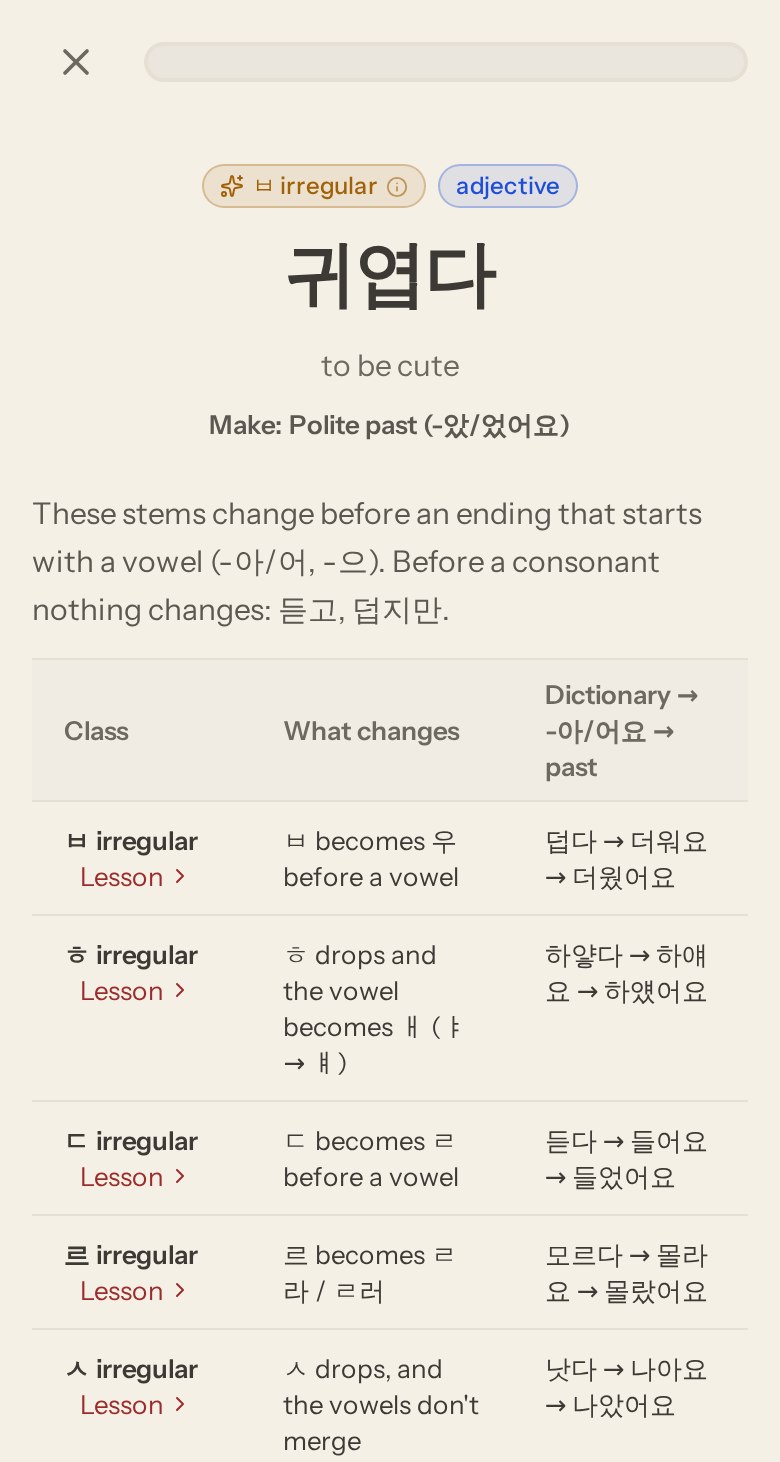
The button reads "Hint · half credit" because opening it before you check halves the credit for that question. A right answer after a peek is worth ½; a right answer without one is worth 1.
The summary #
At the end you get the session complete screen with your score. The score counts full marks only. Below it, a badge for each form shows your credit for that form, such as "て form · 2½/3". A line explains that ½ marks are answers after a hint peek. From here you can go back or drill again with a fresh set of questions.
Free drill #
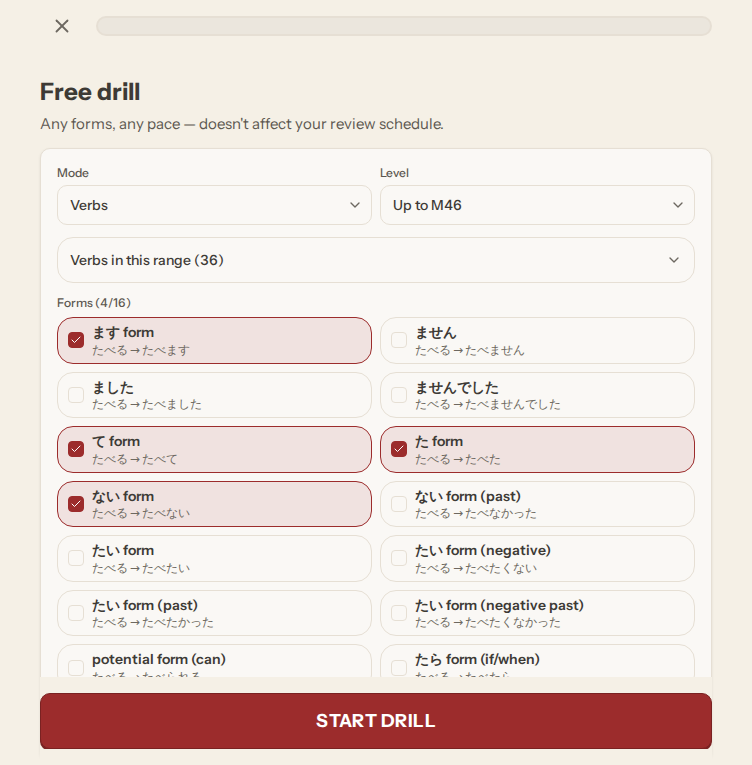
The free drill (Japanese, under Mix) is open play. Choose verbs, i-adjectives or na-adjectives, how far into the course to draw words from, and which forms to include. You can also pin one word from the list, so every question uses it. Long word lists get a search box. Rounds are ten questions, and Drill again keeps your settings.
The particle drill #
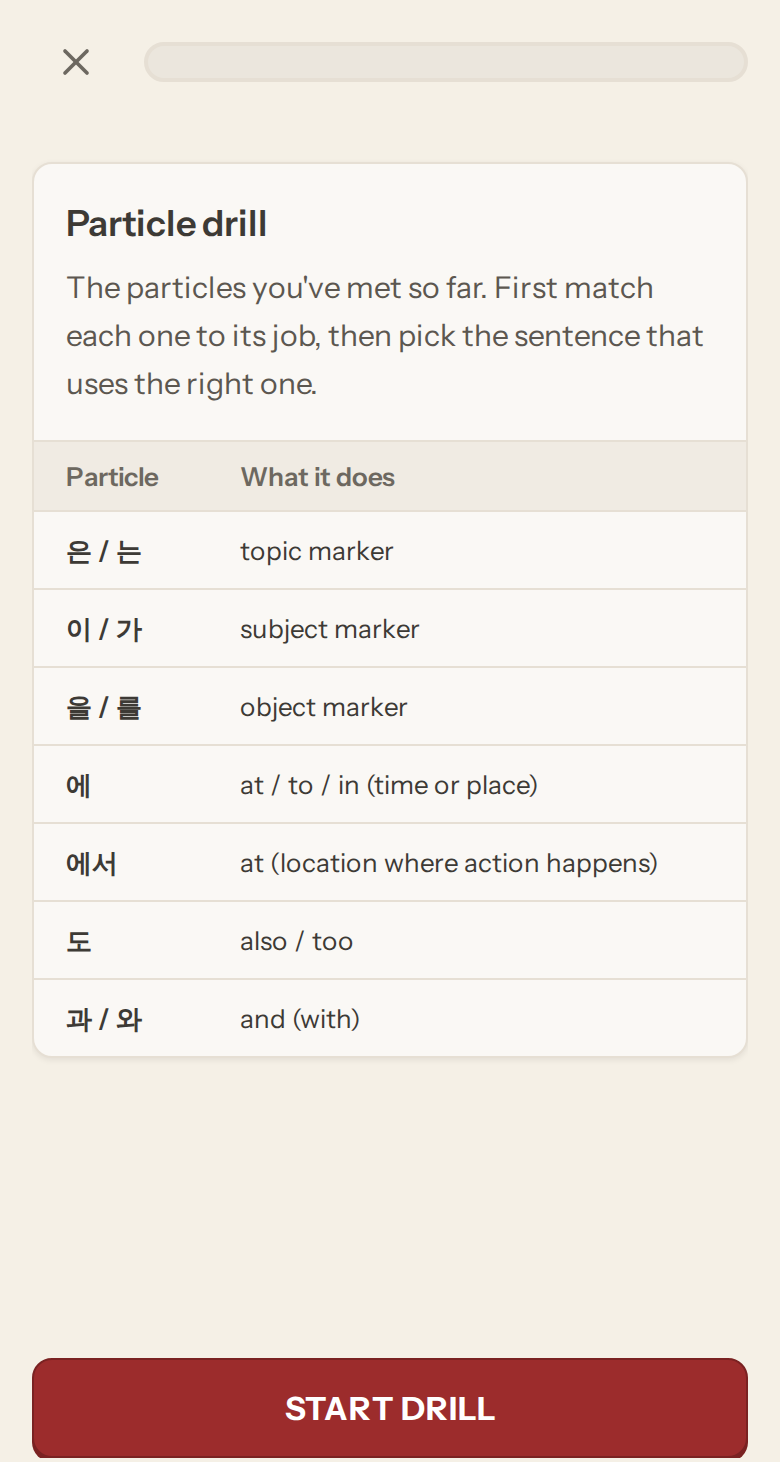
The particle drill opens on a chart of the particles you have met so far. First you match each particle to its job, then you pick the sentence that uses the right one. The sentences come from modules you have reached.
Trainers and your review schedule #
In Japanese, a finished conjugation trainer session counts as a review for each grammar point it drilled. The whole session gives one rating: all answers right with no hints counts as Good, at least half the credit counts as Hard, and anything less counts as Again. When some of these points are due, the conjugation trainer row on the Grammar page shows how many.
Some practice does not touch your schedule:
- Drilling ahead. If any form in the session is beyond your current module, the session is practice only. The summary says so.
- Focused trainers, Sentence meaning, the free drill and the particle drill. These are for practice and never change when a review is due.
- Korean. The Korean trainers are unlocked by module but do not keep a review schedule yet.
A trainer you start from a node on the Learn path also completes that node when you finish, so the path can move on.